Available on all Loox plans
Gather valuable feedback on your customers' shopping experience.
Loox allows you to collect and display store reviews, giving potential customers insights into your brand’s overall reputation. Store reviews help build trust, enhance customer satisfaction, and showcase transparency, ultimately strengthening your brand.
Why use store reviews?
Store reviews allow customers to rate their overall shopping experience, not just individual products. They provide social proof, which can:
- Build trust with new visitors
- Showcase a strong brand reputation
- Help you understand and improve the customer experience
By displaying store reviews, you can reinforce your brand’s credibility and encourage more purchases.
Collecting store reviews
Customers can submit a store review after completing a product review through the Review Request email they received.
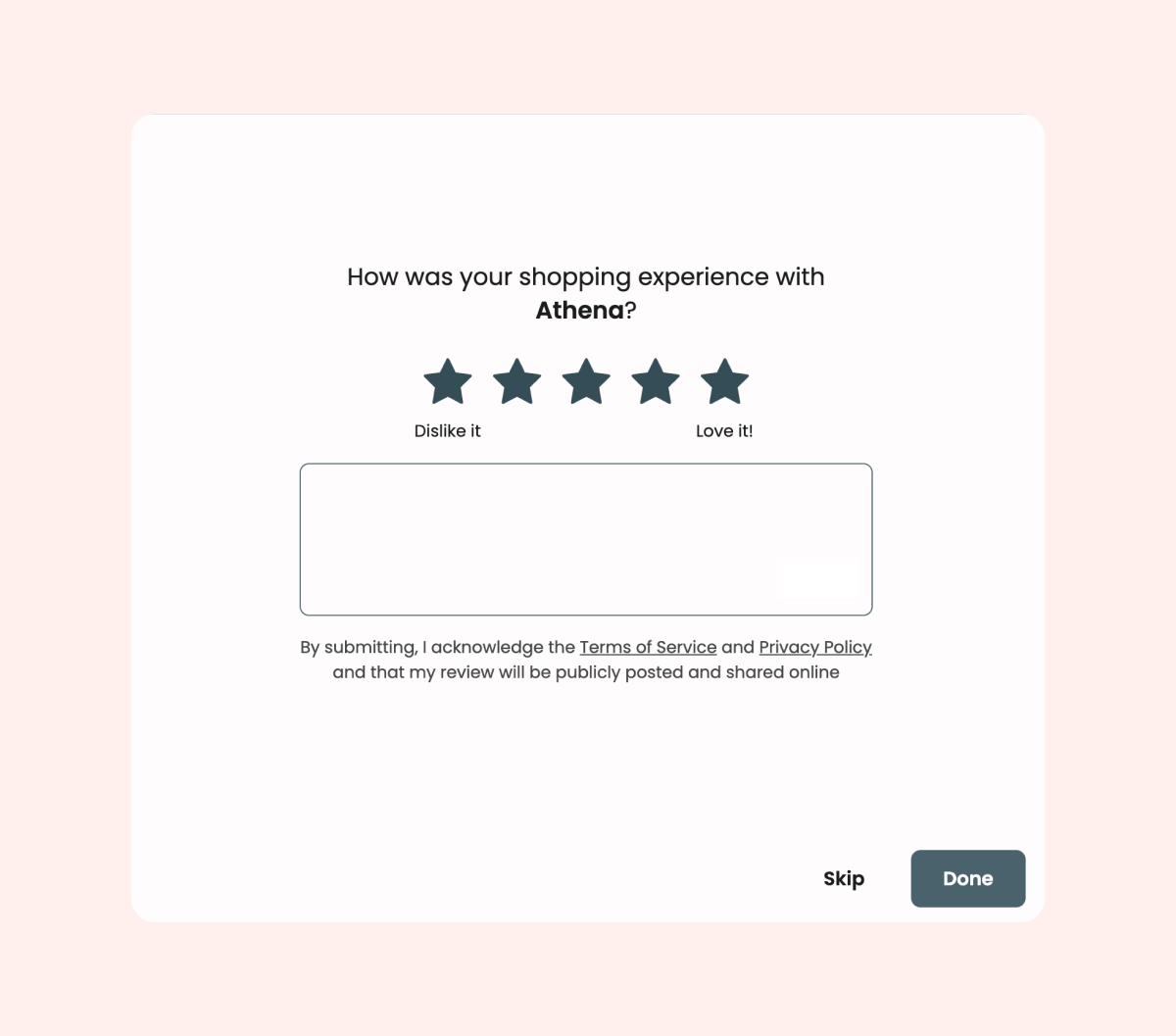
Note: To comply with Google’s requirements for store reviews, only customers who didn't receive a discount code during their product review submission process will be eligible to submit store reviews.
To stop collecting store reviews:
- Head to your Loox Admin under Collect Reviews > Preferences > General.
- Scroll down to “Store Reviews” and toggle "Collect Store Reviews" off.
Displaying store reviews
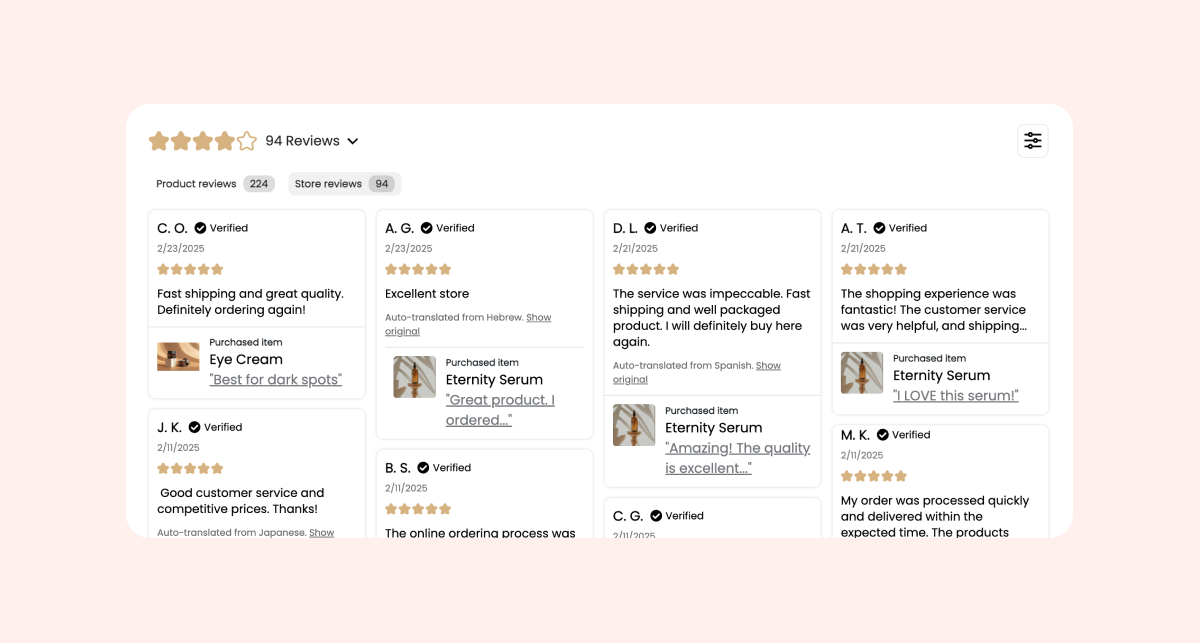
You can now display store reviews on any page using the Reviews Widget or Snippets Widget.
Configuring store review display on the Reviews Widget
- Inside your Shopify Theme Editor, select the Reviews Widget block.
- Under "Reviews to Display", choose:
- Both - Display both product and store reviews with tabs
- Store Reviews Only - Display only store reviews
- Product Reviews Only - Display only product reviews
- If you selected "Both", choose which tab displays first under "Main Tab".
Where store reviews can appear
Store reviews can now appear on:
- Homepage - Show overall brand trust
- Product pages - Display both product and store reviews, or store reviews only
- Happy Customers page - Dedicated review page showing store reviews
- Any page where you add the Reviews Widget
Tip: To learn how to customize the look and feel of your reviews, read Customizing the Review Widget's appearance.
Managing store reviews
For every new store review submitted, Loox will send you a review notification email.
To manage your collected store reviews, go to “Store reviews” within “Manage Reviews”.
- To reply to store reviews, click the three dots (... ) and select "Reply".
- To ask customers to edit their review, click the three dots (... ) and select "ask customer to edit".
- To flag a review, open the "Submitted" dropdown, and under "Flag review", select the flagging reason.
- Note: Flagged store reviews will not appear on Loox widgets across your store.
FAQs
Q: Who is eligible to leave a store review?
A: Only customers who did not receive a discount code during their product review submission can leave a store review.
Q: Where do store reviews appear?
A: You can display store reviews on your Reviews Widget or Snippets Widget on any page of your store.
Q: Can I stop collecting store reviews?
A: You can disable store reviews by going to Collect Reviews → Preferences → General, and toggling "Collect Store Reviews" off.
Q: Can I import store reviews from my previous review solution?
A: To comply with Google's review guidelines, we don't currently support importing store reviews to Loox.
Q: Can I export my store reviews from Loox?
A: Yes. To export your store reviews, go to "Manage Reviews" and click "Export to .csv" under the Store reviews tab.
Q: Can customers edit their store reviews?
A: Yes- they can edit their store review by accessing the "thank you email" they received after submitting it, or if you send them a manual request to update it via the Manage Reviews Section.
Q: Can I reply to store reviews?
A: Yes, you can reply to store reviews directly from your "Manage Reviews" page, under the Store reviews tab.