Create Klaviyo email templates that use Loox parameters, requesting your customers to submit reviews for their most recent purchases.
Note: To implement the required Loox parameters in your Klaviyo email templates, integrate your Loox account with Klaviyo.
To send Loox review requests to your customers using Klaviyo:
- Select or create the email template you wish to use.
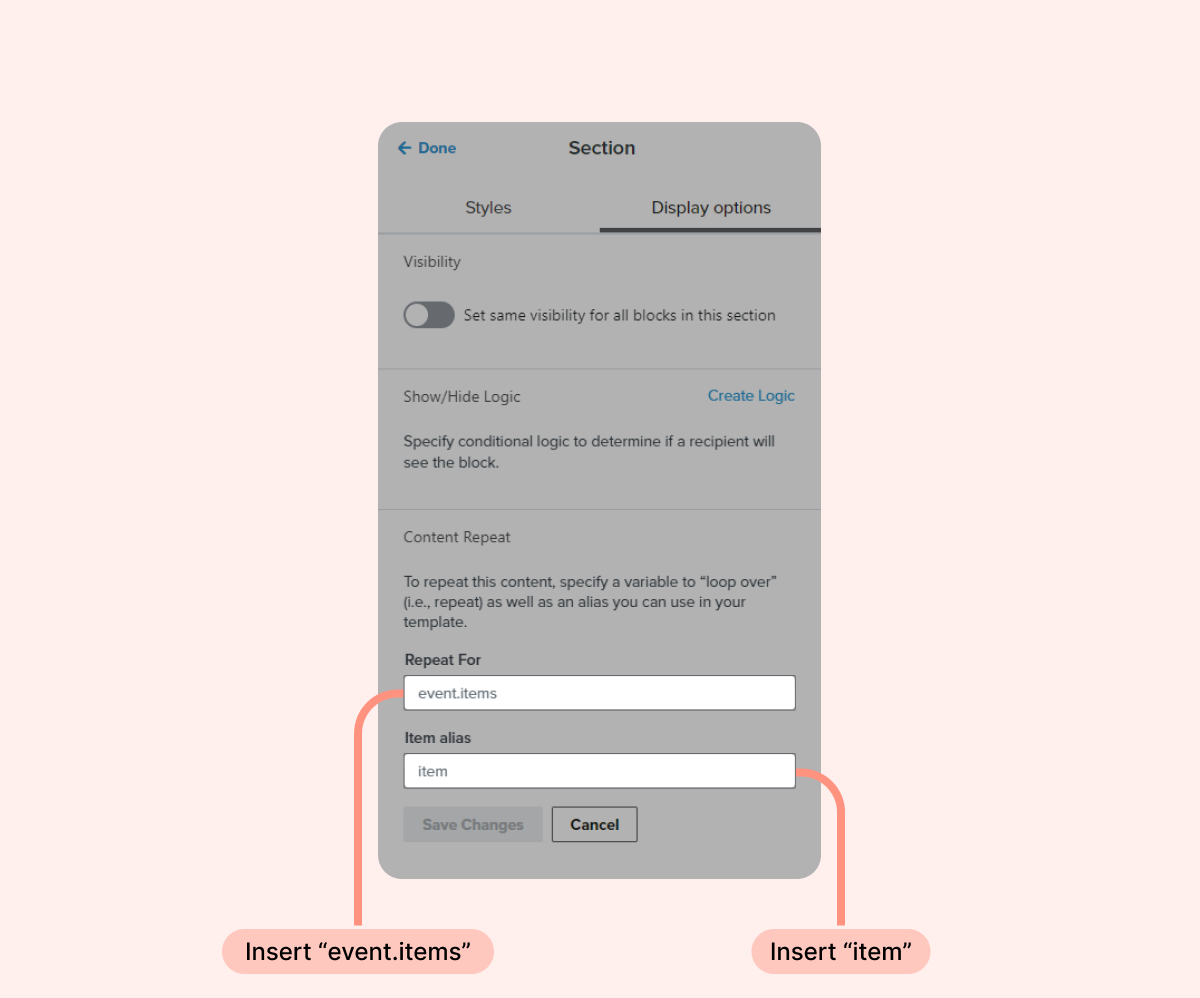
- Once the body of the email is written, add a new section block with content repeat rulesusing the following parameters:
- Repeat for:
event.items
- Item alias:
item
- Repeat for:
- Inside your newly created section block, add a dynamic image that uses the following Loox parameter:
{{ item.image_url }}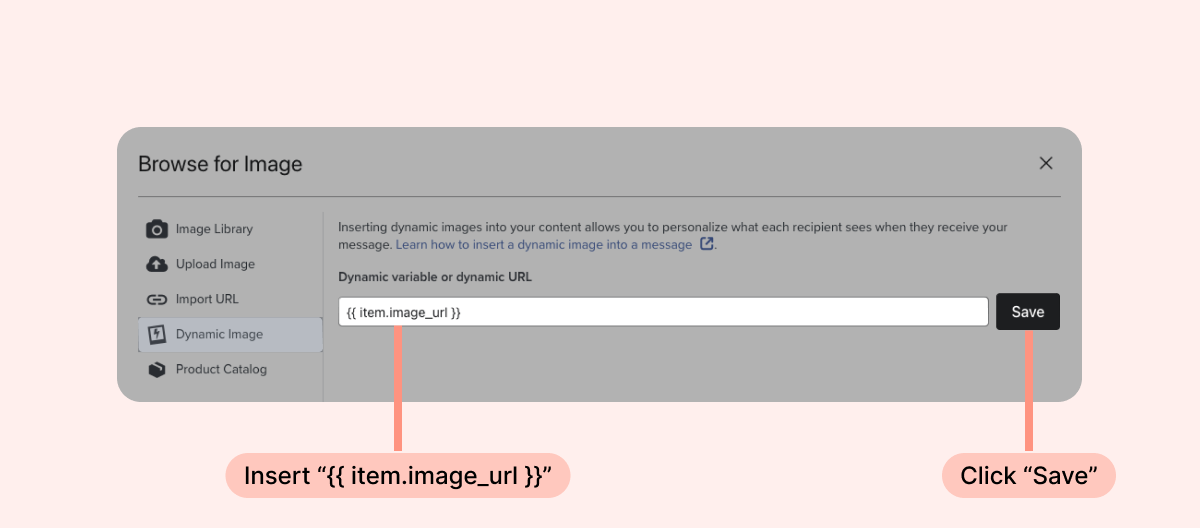
Tip: We recommend adding a fixed width of 200px for the product image.
- To display the customer's purchased items in the email, add a text block with the following Loox parameter:
{{ item.name }}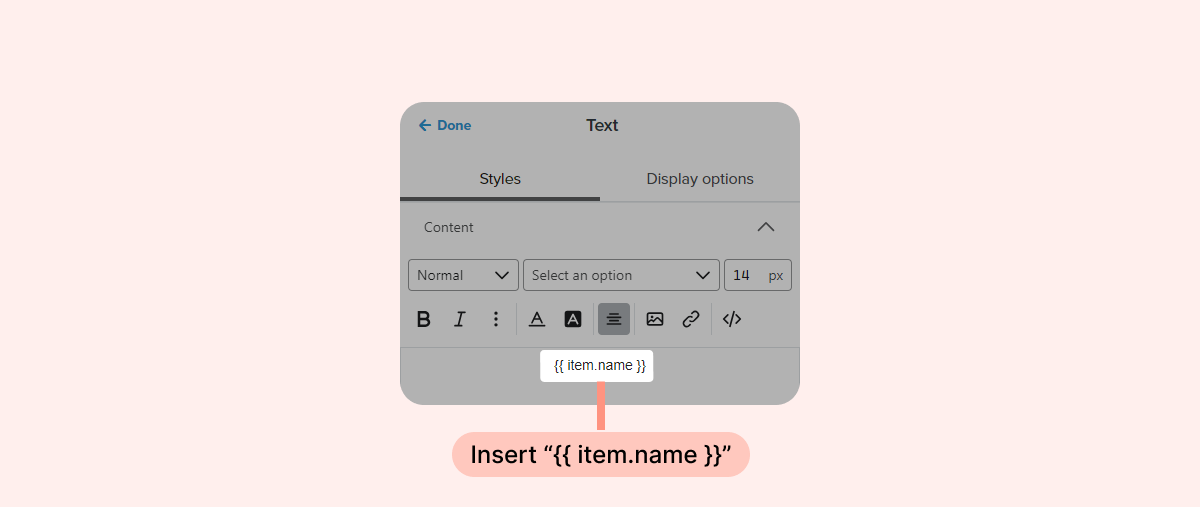
- To add a "Write a review" button that redirects your customers to the product's review form, add a "Button" block that uses the following Loox parameter:
{{ item.review_url }}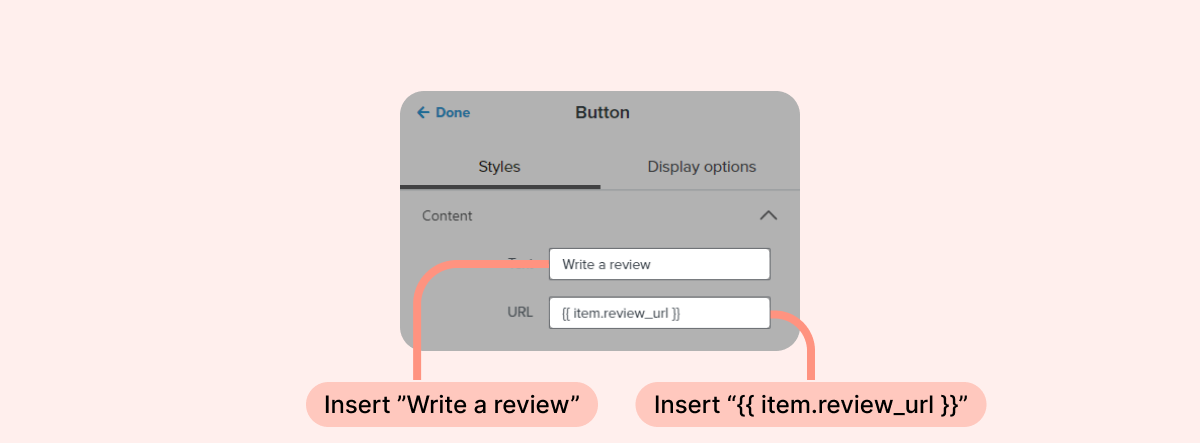
Tip: We recommend changing the button's text to "Write a review".
That's it! Using these parameters, your Klaviyo email template will display your customer's order information and collect their reviews using a dedicated "Write a review" button.
Was this article helpful?
That’s Great!
Thank you for your feedback
Sorry! We couldn't be helpful
Thank you for your feedback
Feedback sent
We appreciate your effort and will try to fix the article